
How to Choose a Universal Power Adapter?
Choosing a Universal Power Adapter is not as simple as matching a plug to a wall socket. A compact adapter may fit several outlet shapes, yet still lack the voltage range or power capacity your device needs. Check the label on your laptop, camera, or phone charger before packing. Look for its input voltage, wattage, and connector type. Small print matters.
Think about where you will use it and which devices you will charge together. A hotel room may offer only one convenient outlet, while a work trip can involve a laptop, phone, and earbuds. Check the adapter’s maximum output and the limits of each port. USB-C Power Delivery can support many modern devices, but not every USB-C port provides the same charging speed. A universal plug adapter may change the plug shape without converting voltage. That distinction is easy to miss.
Safety should guide the choice, not the number of countries printed on the box. Look for clear ratings, sturdy contacts, and a secure fit that does not wobble in the outlet. Avoid forcing a plug or stacking adapters. If your device’s requirements are unclear, consult its manufacturer or a qualified technician. It takes a minute. I have found that the smallest adapter is not always the easiest to trust, especially when labels are vague. A careful comparison can prevent slow charging, overheating, or an unusable setup. Still, no checklist replaces reading the actual product specifications.
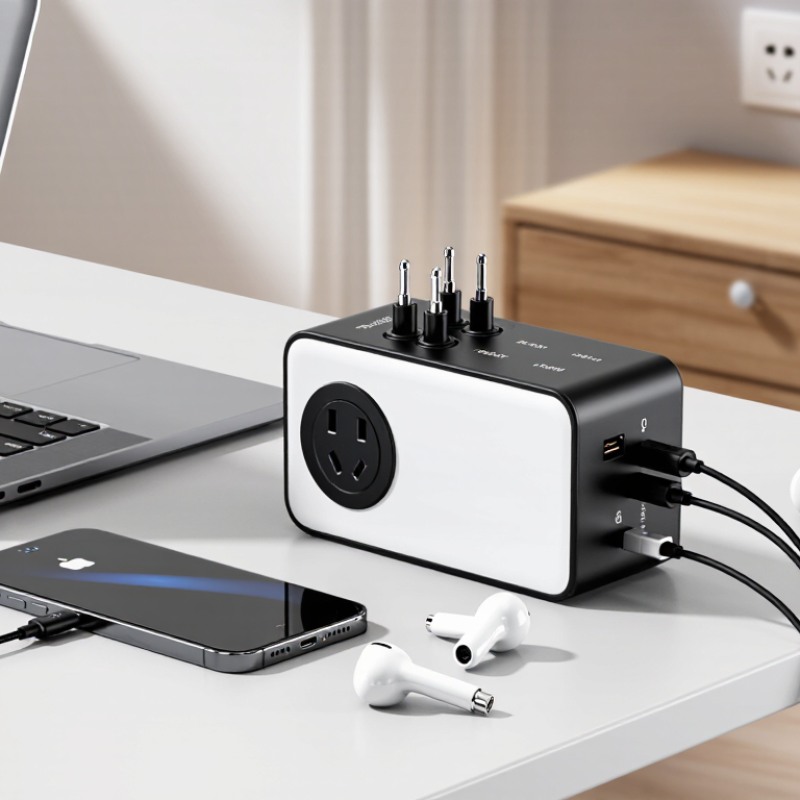
Understanding What a Universal Power Adapter Does
A universal power adapter connects a device’s plug to a different wall-socket shape. It does not automatically change the outlet’s voltage or frequency. That distinction matters. UN Tourism reported about 1.4 billion international tourist arrivals in 2024, making plug compatibility a practical concern for many travelers. Yet a compatible plug alone does not guarantee safe charging. Check the device’s power label and the adapter’s rating before connecting them. If a charger says “Input: 100–240 V,” it is designed to accept a range of mains voltages; a simple travel adapter may be sufficient. If the marked input does not cover the destination’s voltage, a voltage converter may be needed.
A universal adapter usually has movable pins or interchangeable plug faces. Some models also include USB ports, which convert incoming power to a lower output suitable for electronics. USB-IF’s USB Power Delivery 3.1 specification supports power levels up to 240 watts, but that does not mean every adapter provides that output. Check the actual wattage and port ratings. A laptop may need more power than a phone. I still find labels easy to overlook when packing in a hurry.
Tips: Match the adapter’s plug type to the destination, then compare voltage and wattage ratings. Avoid forcing loose or poorly fitting pins. If the device label is unclear, consult its manual or a qualified electrician rather than guessing.
How to Choose a Universal Power Adapter: Understanding What It Does
A universal travel adapter helps your plug fit different outlet shapes. It usually does not convert voltage, so check that your device supports the destination’s mains voltage before plugging it in.
Typical nominal household mains voltage. Actual supply voltage can vary by country and local conditions; check the destination and your device label.
Checking Device Voltage, Current, and Power Requirements
How to Choose a Universal Power Adapter?
Checking Device Voltage, Current, and Power Requirements
Before choosing an adapter, read the small print on your device’s power label. A charger for a camera might list “Input: 5 V, 2 A,” while a laptop may need a much higher voltage. The adapter’s output voltage must match the device’s required voltage. Too much can damage sensitive electronics; too little may prevent them from working properly. Don’t rely on the plug fitting. It is only one part of the match.
Current matters, too. An adapter should supply at least the amperage your device requires. For example, a 2 A device can generally use a compatible 3 A adapter, because the device draws what it needs. Check the power rating as well: watts equal volts multiplied by amps. A small label can be hard to read, and some devices list several input ranges. Take a clear photo and check it in good light. I’ve misread tiny print before.
Universal adapters may offer selectable voltage settings or multiple USB outputs. Confirm the selected setting before connecting anything, and check whether the listed current applies to each port or all ports combined. If the device’s requirements are unclear, don’t guess. Consult its manual or a qualified technician.
| Device or Use Case | What to Check on the Device Label | Adapter Output to Look For | Key Compatibility Notes |
|---|---|---|---|
| Smartphone or small tablet | Input voltage, supported charging standard, and maximum current or power | Matching supported output voltage; current capacity equal to or greater than the device requirement | USB charging devices may negotiate voltage and power. Use a compatible cable and charging standard; a higher current rating alone does not force extra current into the device. |
| Laptop | Required input voltage, connector type, polarity if applicable, and wattage | Exact required voltage; rated power at least equal to the laptop’s requirement | For USB-C charging, confirm that both the adapter and cable support the required USB Power Delivery profile and power level. |
| Wi-Fi router or modem | DC input voltage, current, connector dimensions, and polarity symbol | Exact voltage and correct polarity; current rating equal to or greater than the listed requirement | A plug that fits physically may still have the wrong voltage, polarity, or barrel dimensions. Verify all specifications before connecting. |
| Digital camera or portable monitor | Input voltage, maximum current or wattage, and connector or charging protocol | Output that matches the device’s specified voltage and supported power-delivery method | Some devices accept power only through a particular port or protocol. Check the manual if the label does not list a clear input range. |
| Small household electronics | AC or DC input, voltage range, frequency, current, and plug type | For DC devices, match the specified voltage and polarity. For AC devices, match the stated input range and frequency. | A travel plug adapter changes plug shape only; it does not convert voltage. Use a voltage converter only when the device’s input rating requires one. |
| General power and safety check | Device input specifications and the adapter’s output label | Confirm voltage first, then ensure the adapter can supply the required current and power | Power in watts equals volts multiplied by amps (W = V × A). Do not use an adapter with an incompatible voltage, damaged cable, or unclear safety markings. |
Matching Plug Types and Electrical Standards
A universal power adapter is only useful when its plug fits the outlet and its electrical rating suits the device. IEC 60038 lists 230/400 V as standard nominal supply voltages, but local systems and outlet shapes still vary. Check the destination’s plug type, voltage, and frequency before packing. A Type C plug may fit some European outlets, for example, but that does not make every socket compatible. Look for the input range printed on your charger, such as “100–240 V, 50/60 Hz.” If it lists only one voltage, an adapter alone will not convert electricity.
Match the adapter’s rating to the appliance, not just the plug. IEC 60884-1 covers household plugs and socket-outlets, including electrical ratings; use the markings on the adapter and device to verify compatibility. Pay extra attention to high-power items such as hair dryers. Their current draw can exceed a small travel adapter’s limit. A plug that fits is not proof of safety. I learned that the fiddly part is often the fine print, especially when labels are worn or partly hidden.
Tips: Photograph your device’s rating label before travel. Compare voltage, frequency, and maximum current with the adapter’s specifications. Choose a grounded connection when the appliance requires one, and never force a loose plug. If the markings are unclear, leave that device unplugged until you can confirm its requirements.
Choosing Adapter Features for Travel and Everyday Use
A universal power adapter is useful only when it matches your devices and travel plans. Check the plug shapes used at your destination, then confirm the adapter accepts your charger’s input voltage. Many phone and laptop chargers list a range such as 100–240 V on their labels. An adapter changes plug shape; it does not necessarily convert voltage. That distinction matters for devices like hair dryers, which may need a separate voltage converter. I once assumed a compact adapter would handle everything. It did not.
For everyday use, look for grounded outlets if your equipment requires them, a firm fit, and enough ports for your usual devices. USB-C ports can reduce the number of chargers in your bag, but check their power output against your laptop’s requirements. A tiny adapter may feel convenient, yet crowded sockets can make it awkward to use. Build quality matters, too: loose pins or a casing that gets unusually hot are reasons to stop using it. Ratings and features vary, so read the product specifications rather than relying on appearance.
Tips: Before packing, compare the adapter’s output with each device label. Test the fit at home, and carry one spare charging cable. Keep the adapter dry and uncovered while charging. If its markings are unclear, pause and verify them; guessing is not worth the risk.
Evaluating Safety Certifications and Build Quality
A universal power adapter should carry safety marks that match the country where you use it. Look for certification from a recognized testing body, such as UL, ETL, or TÜV, and check that the mark applies to the complete adapter, not just one component. A CE mark alone is a manufacturer’s declaration in many product categories, so it may not indicate independent testing. Verify the model number in the certifier’s public directory when possible. This small step can catch counterfeit or mismatched labels.
Build quality matters just as much.
The NFPA’s Home Electrical Fires report estimates that electrical failure or malfunction was involved in an average of 46,700 U.S. home fires each year from 2015 through 2019. Those figures cover many electrical products, not adapters alone, but they show why heat and wiring deserve attention. Check for a firm, well-fitted casing, tight socket contacts, and strain relief where the cable enters the body. No rattles. No sharp plastic edges. A faint chemical smell or loose plug should give you pause.
Before buying, compare the adapter’s rated voltage, current, and wattage with your devices. A universal plug shape does not guarantee voltage conversion. Feel the casing after a short, supervised test; excessive warmth is a warning, though a little warmth can be normal under load. I would still inspect it again after travel. Wear is easy to miss.